RetroBet Mobile Casino Web App on iPhone and Android
Updated November 2026
Licensed
 Available in AU
Fast payouts
18+ Only
Mobile access format
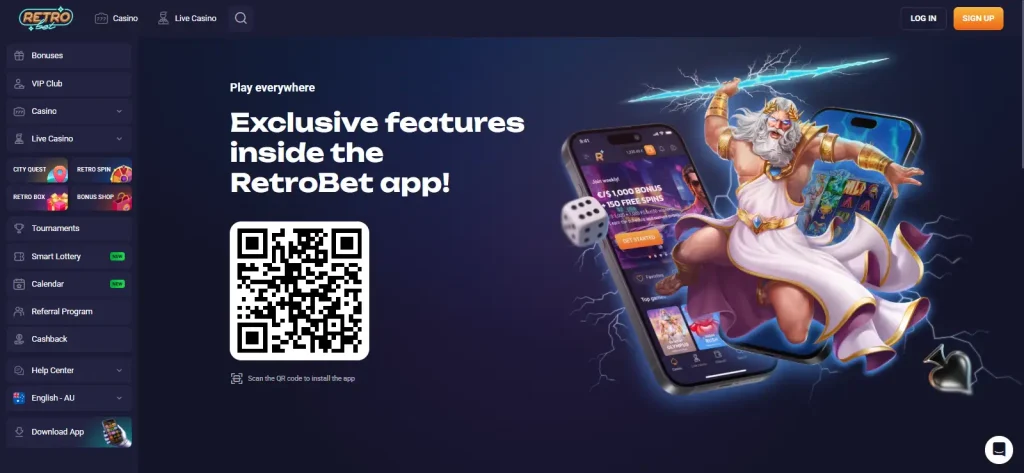
RetroBet offers an installable web app for iPhone and Android. The current mobile information shows an Add-to-Home-Screen style experience rather than a native download from the Apple App Store or Google Play. In practical terms, you can use RetroBet in a mobile browser or place the web app on the phone’s home screen for quicker access.
The distinction matters because the word “app” can describe several different things. A home-screen web app can look and launch more like a standalone application, but it is still tied to the website and browser technology. Installing it does not turn RetroBet into a native store app, does not alter Australian regulatory status, and does not create a method for bypassing ISP, provider or jurisdiction restrictions.
Table of Contents
- RetroBet Mobile Web App vs Browser and Native Casino Play
- What the current RetroBet mobile evidence establishes
- What adding RetroBet to the home screen changes
- Why the lack of a verified native store app matters
- What RetroBet puts into the mobile product
- The Australian-facing app route is a product feature, not a legal shortcut
- A practical way to evaluate RetroBet on a phone
- What web-app installation changes – and what it does not
- When the RetroBet web app is useful in Australia – and what it does not change
RetroBet Mobile Web App vs Browser and Native Casino Play
The simplest way to understand RetroBet mobile access is to separate three formats. The first is ordinary browser use: open the site on a phone and use the responsive web interface. The second is RetroBet’s installable web-app flow, which places a home-screen entry on iPhone or Android and launches the web experience from that shortcut. The third would be a native package distributed through an official app store.| Mobile format | What it means for RetroBet | Key limitation |
|---|---|---|
| Mobile browser | Use the website directly in a phone browser. | No home-screen launcher is required. |
| Installable web app | RetroBet supports an iPhone and Android home-screen web-app flow. | It remains a web-based product rather than a verified native store download. |
| Native App Store or Google Play app | The cited material does not show a current native RetroBet store app. | Do not treat RetroBet’s own “Install App” language as proof of a store listing. |
What the current RetroBet mobile evidence establishes
RetroBet’s current site includes a dedicated app-install route and promotes app installation from the Australian-facing website. The operator’s install page presents sports betting as part of the mobile product. The available mobile information describes RetroBet as an installable web app rather than a native iOS or Android store app. That combination is enough to make the format clear: this is not simply a generic claim that “the site works on mobile,” but it is also not evidence of an Apple App Store or Google Play listing. The useful wording is “installable web app” or “home-screen web app.” Official source: RetroBet mobile install flow.What adding RetroBet to the home screen changes
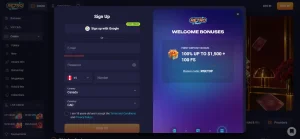
The main practical change is access. Instead of finding a browser tab or typing the site address again, the installed web app gives you a home-screen entry that opens the web product directly. For users who return to the same site regularly, that can make the experience feel more app-like without requiring a native store package. It does not create a separate RetroBet account. The account relationship still starts with the site’s normal signup and login flow, so account creation should be handled as a separate topic. The RetroBet registration guide explains what the current Australian-facing signup screen asks for and where registration stops before later identity checks. It also does not guarantee that every browser or phone presents identical installation controls. The documented feature is the iPhone and Android web-app/home-screen route, not a promise that menu labels, prompts or browser chrome will look the same on every device version.Why the lack of a verified native store app matters
A native store app normally has a separate distribution record controlled by the platform store. A web app is delivered from the website. That difference affects how the product should be described and what a reader can independently verify. The available official material does not show a native Apple App Store or Google Play application for RetroBet. That does not make the mobile site unusable, and it does not mean the install button is fake. It means the install route belongs to the web product rather than a verified store listing.What RetroBet puts into the mobile product
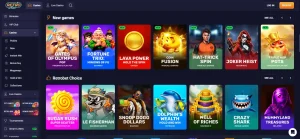
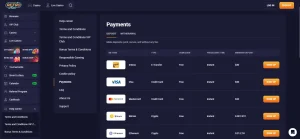
The current mobile information specifically supports sports betting as a web-app feature. RetroBet’s install page also presents casino content around the app experience, while detailed catalogue availability is a separate question. The current game categories, provider restrictions and Australian lobby evidence are covered in the RetroBet games in Australia guide. That separation is useful because the app format does not prove that every title or provider is available on every device, account or location. A mobile shell can expose the same broad product areas while individual content availability still depends on the underlying site, provider and account context. For the same reason, the presence of a mobile interface should not be used to infer a specific cashier method. Public payment listings and what an individual account actually shows are separate questions. The RetroBet payment methods page keeps those two layers apart.The Australian-facing app route is a product feature, not a legal shortcut
RetroBet maintains Australian-facing web content, and the mobile install flow is part of that product presentation. But an AU route, an iPhone shortcut or an Android shortcut does not change the legal or regulatory position of the service. Software format and regulatory status answer different questions. Installing a web app does not ensure that the site will remain reachable through every Australian network and does not bypass blocks or provider restrictions. If access changes, treat that as an access issue rather than as a reason to modify the installation method. For the wider context, the full RetroBet review separates localisation, product features and Australian regulatory evidence instead of treating them as one availability signal.A practical way to evaluate RetroBet on a phone
Because the verified mobile format is web-based, the most useful checks are about how the real site behaves on the device you actually use. There is no need to assume that an installed shortcut automatically improves every part of the experience.- Confirm that you are on the intended RetroBet web route before using the install option.
- Distinguish a home-screen web app from a claimed App Store or Google Play download.
- Check that navigation and account controls remain readable at your normal phone size.
- Use the current game guide for catalogue questions instead of assuming desktop and mobile inventories are permanently identical.
- Use the payment guide for cashier questions rather than assuming a mobile install creates extra payment methods.
- If a browser or device changes its install wording, verify the destination instead of relying on a memorised sequence of taps.
- Do not use installation as a method to bypass network, provider or jurisdiction restrictions.